

How to Pay by Credit Card or Debit Card without A Paypal Account
How to Pay with Credit or Debit Card
Don't have a PayPal account? No problem! You can easily pay directly with your Visa, MasterCard, Discover, or American Express via PayPal's secure guest checkout—no PayPal account required.
Select Your Dress & Click "Buy with PayPal"
Choose your dress size, color, or custom measurements, and click the yellow Buy with PayPal button on the product page or in your shopping cart.

Click "Pay with Debit or Credit Card"
You will be redirected to PayPal's secure checkout window. Rather than signing in, look underneath the login boxes and click the Pay with Debit or Credit Card button.

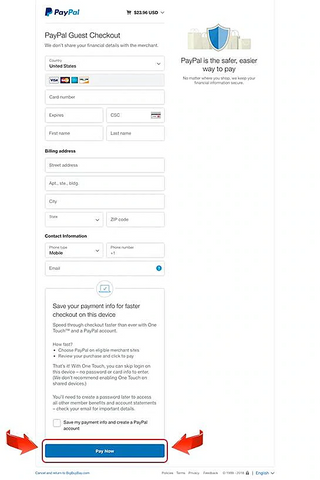
Enter Your Card Details & Click "Pay Now"
Fill in your credit or debit card number, billing address, and contact email.
Buyer Safety & Security Assurance
Need Help Placing Your Order?
If you run into any difficulties during checkout or have questions about custom sizing, our support team is ready to help.
Contact Customer Support